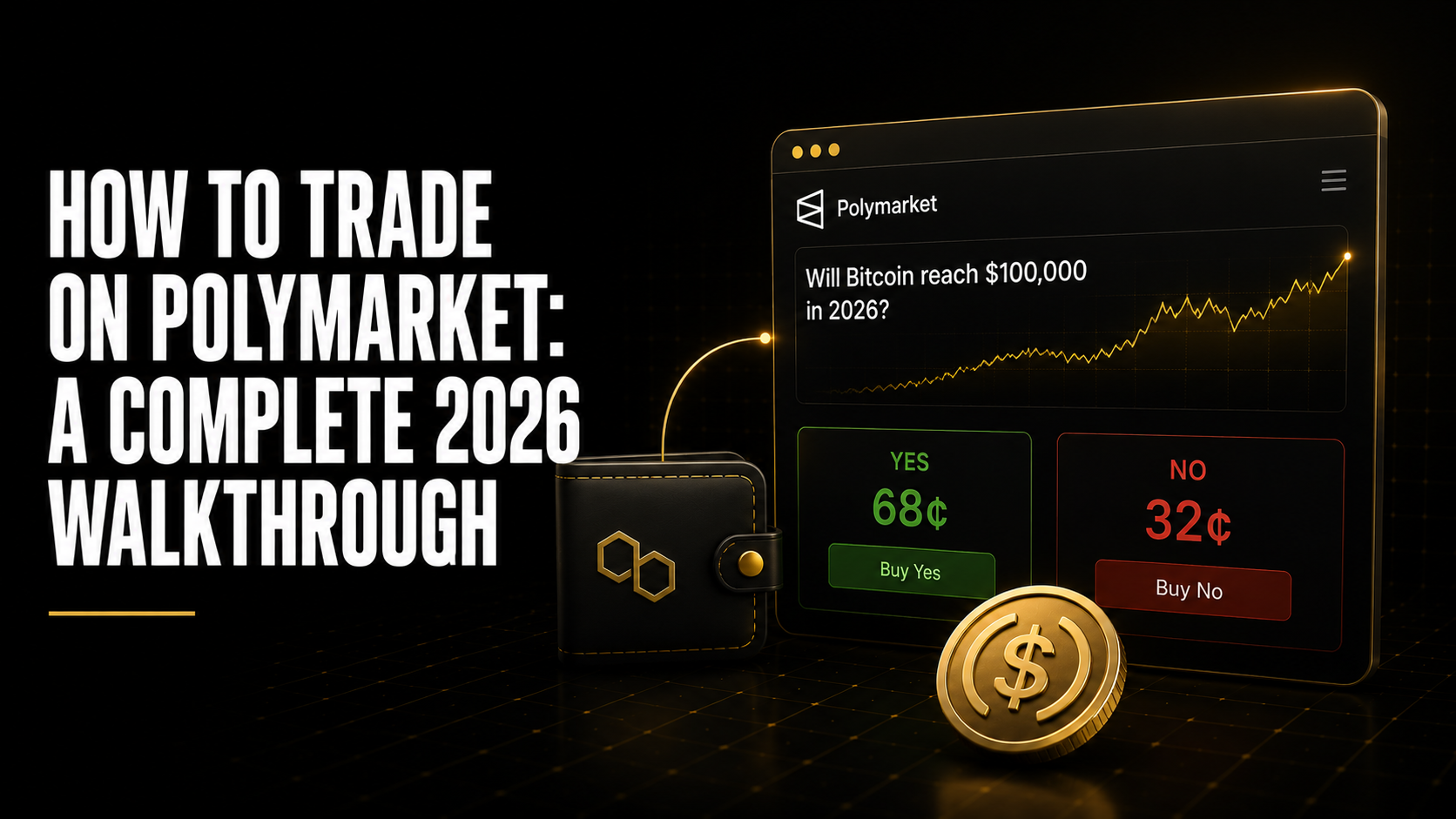
How to Trade on Polymarket: A Complete 2026 Walkthrough
The first time most people open Polymarket, they close it within 90 seconds. Not because it is hard. Because it asks for a wallet before it shows you anything interesting, and most people have not connected a Web3 wallet to anything before.
Get past that first step and the interface makes sense immediately. This guide covers the complete setup, first trade, and the things nobody tells you in the documentation.
Table of Contents
Quick Answer
To trade on Polymarket in 2026, you need a Web3 wallet (MetaMask or any Polygon-compatible wallet), USDC on the Polygon network, and a Polymarket account connected to that wallet. Once set up, you browse markets, select an outcome, choose YES or NO, enter your dollar amount, and confirm the trade. The full setup takes 15-20 minutes on first run. Subsequent trades take under 2 minutes.
Key Takeaways
- Polymarket runs on Polygon, not Ethereum mainnet. This is the most important technical fact for new users: gas fees on Polygon are fractions of a cent, not the $5-15 you might have paid on Ethereum. The practical implication is that gas cost is not a meaningful factor in position sizing on Polymarket.
- USDC is the only currency Polymarket accepts. You cannot deposit ETH directly and trade with it. You need USDC specifically on the Polygon network. Most centralised exchanges (Coinbase, Binance) will let you withdraw USDC directly to Polygon if you select the correct network during withdrawal.
- Polymarket is not available to users in the United States. VPN use to circumvent geographic restrictions violates Polymarket’s terms of service. Kalshi is the primary CFTC-regulated alternative for US-based users who want access to event-based markets.
- Limit orders are better than market orders in most situations. The native interface supports both. A limit buy at the mid-price fills with zero spread slippage when a seller comes to your level. On stable markets with no time pressure, this is the highest-EV entry available. Most beginners default to market orders on every trade, which is the fastest way to silently accumulate spread costs.
- You do not need to hold until resolution. Selling your shares at the current market price exits your position. If you bought YES at 0.42 and the price rises to 0.61 before the event resolves, you can sell at 0.61 and realise $0.19 profit per share today.
- The balance you see on Polymarket is your total USDC value including unrealised gains and losses. It includes the current marked-to-market value of all open positions, not just your cash. This means a balance drop does not necessarily mean a resolved loss, it may be an unrealised move in an open position that has not yet resolved.
- Your first five trades will be too small and too cautious, which is exactly correct. Calibrate the platform, understand the mechanics, and build up the position-level tracking habit before sizing up.
Step 1: Setting Up Your Wallet
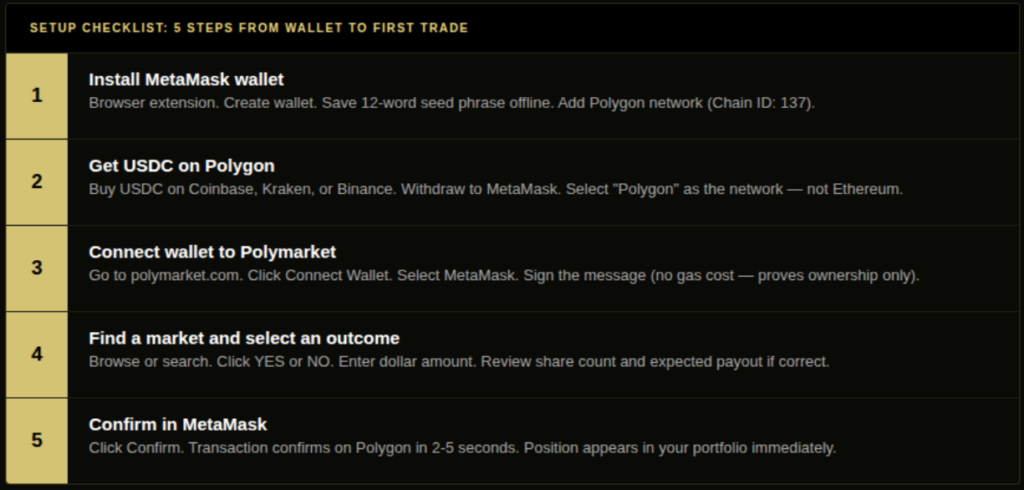
Polymarket requires a Web3 wallet to interact with the Polygon blockchain. The most common choice is MetaMask, available as a browser extension for Chrome, Firefox, and Edge. Hardware wallets (Ledger, Trezor) are also supported for users who want additional security for larger balances.
MetaMask setup (5 minutes):
- Install the MetaMask extension from metamask.io
- Create a new wallet, write down your 12-word seed phrase and store it offline. This is the only way to recover your wallet if you lose access.
- MetaMask defaults to Ethereum mainnet. Add the Polygon network: Settings > Networks > Add Network > Polygon Mainnet. RPC URL: https://polygon-rpc.com. Chain ID: 137. Currency: MATIC. Block explorer: polygonscan.com.
- Your MetaMask wallet address is now ready to receive USDC on Polygon.
If you use Coinbase Wallet, it natively supports Polygon. No manual network configuration is needed.
Also read: Is Polymarket Worth It in 2026? An Honest Assessment
Step 2: Getting USDC on Polygon
USDC is the US Dollar stablecoin issued by Circle. One USDC = one US Dollar. It is the only currency Polymarket accepts.
Getting USDC onto Polygon is the step that trips up most new users, because there are multiple paths and the wrong one costs unnecessary fees.
Fastest path (via centralised exchange):
- Buy USDC on Coinbase, Kraken, or Binance
- Go to Withdraw > USDC
- Select “Polygon” as the network (not Ethereum, not BNB Chain)
- Enter your MetaMask wallet address as the destination
- Confirm the withdrawal
Most major exchanges support Polygon withdrawals for USDC. The withdrawal fee is typically 0-1 USDC. The funds arrive in 5-15 minutes.
Alternative path (bridging from Ethereum): If you already have USDC on Ethereum mainnet, you can bridge it to Polygon using the Polygon Bridge (wallet.polygon.technology). Bridging from Ethereum to Polygon takes approximately 7-8 minutes. The cost is the Ethereum gas fee at the time of the bridge transaction, which is typically $2-8.
Once USDC arrives in your MetaMask wallet on Polygon, you are ready to connect to Polymarket.
Step 3: Creating Your Polymarket Account
- Go to polymarket.com
- Click “Connect Wallet” in the top right
- Select MetaMask from the list of supported wallets
- Approve the connection request in MetaMask
- Polymarket will ask you to sign a message, this is not a transaction and costs no gas. It simply proves you own the wallet.
- Your Polymarket account is now live. Your USDC balance from your wallet is displayed.
Polymarket does not require email or a username. Your wallet address is your identity on the platform. You can add a display name in settings if you want, but it is optional.
Step 4: Placing Your First Trade
Finding a market: Markets are listed on the Polymarket homepage sorted by volume. Use the search bar to find a specific topic (e.g. “Premier League”, “World Cup”, “US election”). Each market shows the current YES price, total volume, and time to resolution.
Selecting an outcome: Click on a market to open it. For binary YES/NO markets, you will see the current YES price and the implied NO price. For multi-outcome markets (e.g. tournament winner), you will see the probability distribution across all outcomes.
Entering the trade:
- Click YES or NO (or your chosen outcome in a multi-outcome market)
- Enter the dollar amount you want to spend
- The interface calculates how many shares you will receive at the current price
- Review the total cost and expected payout if the outcome resolves in your favour
- Click Buy and confirm in MetaMask
The transaction is submitted to Polygon. Confirmation typically takes 2-5 seconds. Your position appears in your portfolio immediately after confirmation.
Limit orders: To place a limit order (instead of a market order), click the dropdown next to “Buy” and select “Limit.” Enter your target price and the dollar amount. The order sits in the order book until a seller meets your price or you cancel it. Limit GTC (Good Till Cancelled) orders stay active until filled or manually cancelled. Limit GTD (Good Till Date) orders expire at a time you specify.
Also read: Limit Orders vs Market Orders in Prediction Markets: When Each Wins
Step 5: Managing Open Positions
Your open positions are visible in your Polymarket portfolio. Each position shows: the market, your outcome, how many shares you hold, your entry price, the current market price, and your unrealised P&L.
Exiting before resolution: Click on any open position and select “Sell.” Enter the number of shares to sell. The interface shows the current market price and your expected proceeds. Confirming sells your shares at the current best bid.
You can sell partial positions. If you hold 500 YES shares and want to reduce exposure, you can sell 200 and keep 300. Each partial sale is a separate transaction.
Waiting for resolution: If you hold until the event resolves, the market closes automatically. Winning shares are converted to $1.00 each and added to your USDC balance. Losing shares are converted to $0.00. No action is required.
Withdrawing USDC: To withdraw USDC from Polymarket back to your wallet, go to your profile and click “Withdraw.” The USDC transfers from the Polymarket smart contract back to your MetaMask wallet on Polygon. From there, you can bridge to Ethereum, send to a centralised exchange, or hold.
Step 6: Understanding What You Are Looking At
The price: The YES price (e.g. 0.62) is the market’s implied probability that the outcome will occur. You are buying at 0.62 meaning you think the true probability is higher. The market says 62%. You say more.
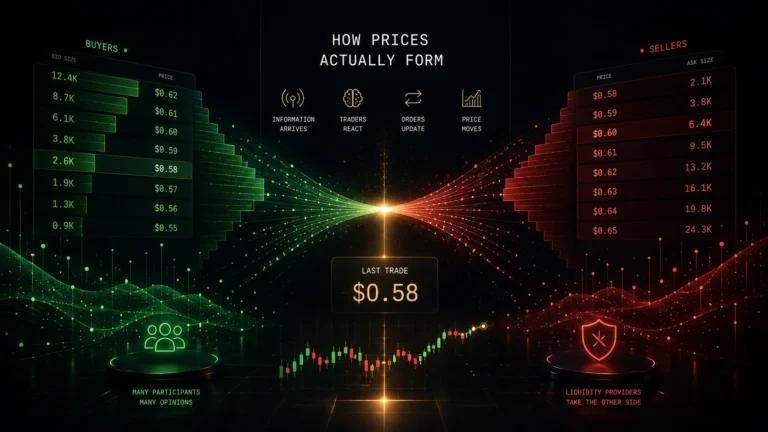
The spread: The gap between the best available buy price and the best available sell price. A tight spread (2-3 cents) indicates liquid, actively traded market. A wide spread (8-12 cents) indicates a thin market with less trading activity. Wider spreads mean higher entry and exit costs.
Volume and liquidity: Total volume is the total dollar amount traded in this market since it opened. This is not the same as liquidity, volume tells you historical trading activity, liquidity tells you how much you can trade right now at the current price without moving the market. Check the order book depth (the number of shares available at the current price) before sizing a large position.
Time to resolution: How long until the event resolves. Markets close at resolution. If you want to exit before resolution, you need to sell before the market closes.
Also read: How Do Prediction Markets Work? Contracts, Prices, and Payouts Explained
Trade Smarter on Polymarket With DG3
Once your wallet is set up and your USDC is on Polygon, the setup is done. The harder part is what happens next: finding a market worth trading, knowing whether the current price has edge, reading what the order book and order flow are telling you, and executing before the window closes.
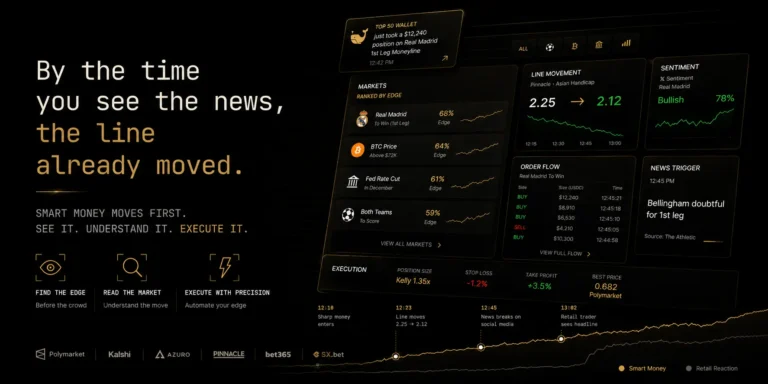
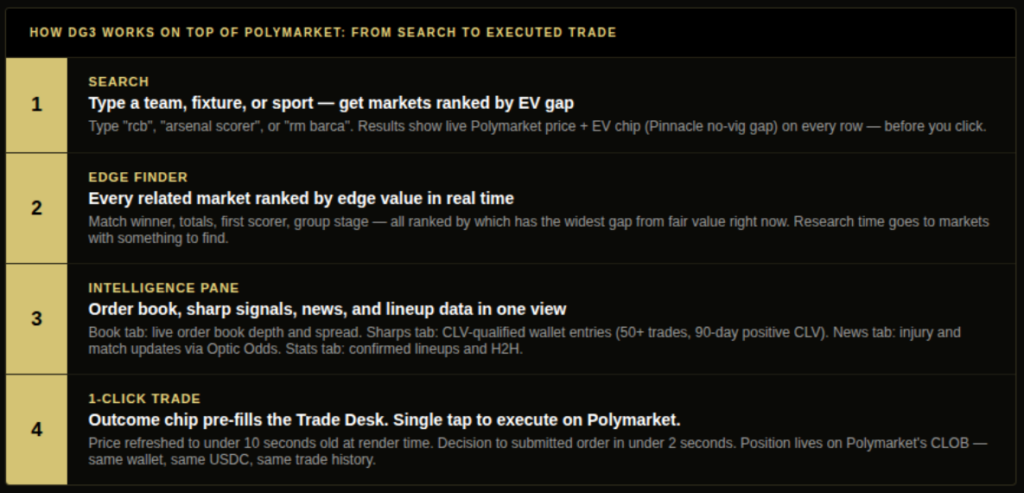
DG3 is a prediction market terminal built on top of Polymarket to solve exactly that. Your wallet, your USDC, your positions – everything stays on Polymarket’s CLOB. DG3 is the intelligence and execution layer above it.
Search that shows you edge before you click. Type “rm barca”, “rcb”, or “arsenal scorer” into DG3 and the results come back ranked by EV gap, not by volume or recency. Every result row shows the market, the live Polymarket price, and an EV chip showing the gap between the current price and the Pinnacle no-vig line. You know whether a market is worth opening before you click into it.
Edge Finder. Once inside a stream or event, the Edge Finder surfaces every related Polymarket market ranked by edge value in real time. Match winner, totals, first scorer, group stage – ranked by which one has the widest gap from fair value right now. You stop spending 40 minutes on a market where the edge is 0.8 cents.
Intelligence pane. Every market you open in DG3 has an Intelligence pane alongside it. The Book tab shows the live Polymarket order book, depth, spread, and mid-price in real time before you size anything. The Sharps tab shows entries from wallets with a documented positive Closing Line Value track record (50+ resolved trades, 90-day window), scoped to the market you are looking at. Not raw transaction size. Qualified accuracy. The News tab (sourced via Optic Odds) surfaces injury updates and live events tied to the market you are in. The Stats tab shows confirmed starting lineups and head-to-head data as soon as they publish.
1-Click Trade. Click any outcome chip in the Edge Finder and the Trade Desk pre-fills with that outcome and the current Polymarket price, refreshed to no more than 10 seconds old at render time. In 1-Click mode, the order form collapses to a single tap. Decision to submitted order in under 2 seconds.
The wallet setup in this guide is identical whether you trade through Polymarket’s native interface or through DG3. DG3 connects to the same Polymarket CLOB. What changes is how much you can see before you act.
Also read: What Is a Prediction Market Terminal? (And Why Traders Outgrow Raw Polymarket)
Common Mistakes
Mistake 1: Using market orders when limit orders would work. Market orders fill immediately at the best available price. On a market with a 6-cent spread, a market buy costs you 3 cents of spread immediately. On a stable market with no time pressure, a limit GTC buy at the mid-price fills with zero spread slippage when a seller comes to your level. This is consistently the highest-EV entry on non-time-sensitive positions. Most beginners use market orders for every trade. The spread cost accumulates silently.
Mistake 2: Sending USDC on the wrong network. If you send USDC from Coinbase and accidentally select “Ethereum” instead of “Polygon” as the withdrawal network, your funds arrive on Ethereum mainnet rather than Polygon. They are not lost, but recovering them requires bridging back to Polygon with an Ethereum gas fee. Always triple-check the network selection before confirming any withdrawal.
Mistake 3: Treating the balance as your cash position. Polymarket’s balance display includes the marked-to-market value of all open positions. If you deposit $500 and hold a YES position that has declined in price, your displayed balance will be below $500 even though no position has resolved. The balance is an accounting view, not a settled cash position. Unrealised losses become real losses only when the position resolves or you sell.
Mistake 4: Not setting a position size limit before opening Polymarket. The interface makes it easy to adjust position size by typing a number. New users frequently size larger than intended because the dollar amount feels abstract until a position resolves against them. Decide your maximum position size in dollar terms and the maximum percentage of your Polymarket balance per position before you log in. These are not limits you will naturally adhere to in the moment.
Mistake 5: Buying into markets without checking order book depth. A market with $400,000 in total volume but only $3,200 of depth at the current YES price will move meaningfully against a $500 buy order. Check the order book before placing any position over $200. If you cannot see the order book through the native interface, use a limit order and watch what fills.
Frequently Asked Questions
Q: How do I get started on Polymarket? A: Install a Web3 wallet (MetaMask), add the Polygon network to your wallet, buy USDC on a centralised exchange and withdraw it to Polygon, then connect your wallet at polymarket.com. The full setup takes 15-20 minutes on first run.
Q: What wallet do I need for Polymarket? A: Any Polygon-compatible wallet. MetaMask is the most commonly used and has the broadest support. Coinbase Wallet, Rainbow, and Trust Wallet also work. Hardware wallets (Ledger, Trezor) are supported for larger balances.
Q: How do I deposit USDC on Polymarket? A: Buy USDC on a centralised exchange (Coinbase, Kraken, Binance) and withdraw it to your MetaMask wallet address, selecting “Polygon” as the withdrawal network. USDC arrives in your MetaMask wallet in minutes. When you connect your wallet to Polymarket, your USDC balance is automatically available to trade.
Q: How do I place my first trade on Polymarket? A: Browse markets on the homepage or use search to find a topic. Click on a market, select YES or NO (or your outcome in multi-outcome markets), enter your dollar amount, review the share count and expected payout, and confirm. MetaMask will ask for your approval. The trade executes on Polygon in 2-5 seconds.
Q: How do I withdraw from Polymarket? A: Go to your profile, click Withdraw, and enter the USDC amount to transfer back to your wallet. The funds arrive in your MetaMask wallet on Polygon within seconds. From there you can bridge to Ethereum, send to an exchange, or hold as USDC.
Q: What is the minimum trade size on Polymarket? A: Polymarket has no official minimum trade size, but practical minimums exist due to gas costs (fractions of a cent on Polygon) and the order book minimum order size of $1. A $10-25 minimum per trade is a practical floor for meaningful position tracking.
Q: Can I trade Polymarket from the United States? A: No. Polymarket is geographically restricted for US users. Kalshi is the primary regulated alternative for US-based participants wanting access to event-based markets.
Q: How long does it take for Polymarket trades to confirm? A: 2-5 seconds in normal Polygon network conditions. Polygon has not experienced meaningful congestion since 2022. Gas fees are fractions of a cent per transaction. There is no practical wait time for standard trades.
Final Thoughts
Getting started on Polymarket takes 20 minutes and three setups: the wallet, the USDC, and the connection. Everything after that is standard interface navigation.
The part that takes longer than 20 minutes is developing the discipline to trade correctly, which means forming a probability estimate before checking the price, comparing that estimate against the devigged fair value, sizing the position using a fraction of Kelly, and recording the entry price for calibration review later.
None of that is part of the platform setup. It is the trading discipline that sits on top of it. But the platform setup is the prerequisite, and there is no reason it should take you more than one afternoon.
Also read:
What Is a Prediction Market Terminal? (And Why Traders Outgrow Raw Polymarket) Is Polymarket Worth It in 2026? An Honest Assessment
The Best Polymarket Tools in 2026: What Serious Traders Are Actually Using