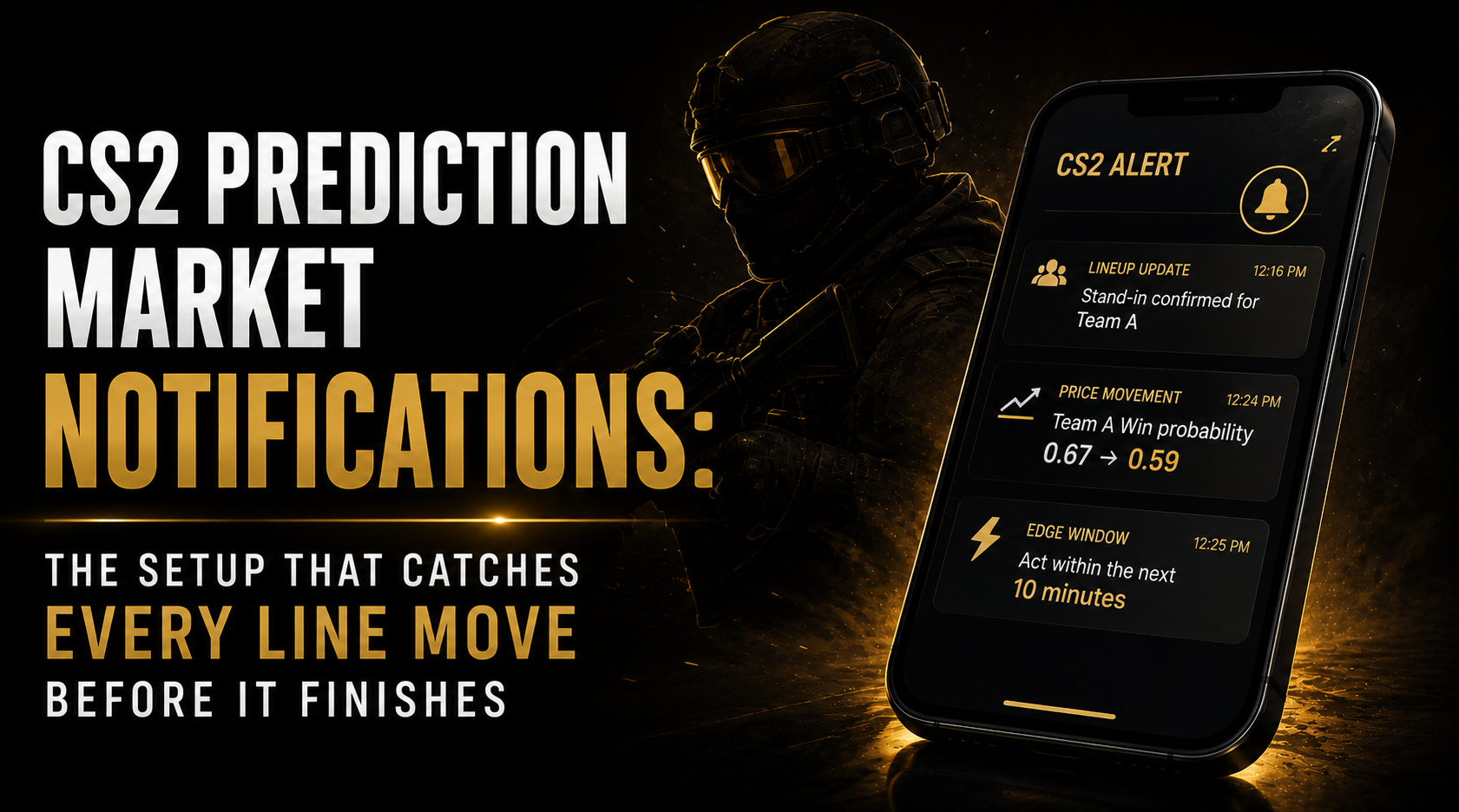
CS2 Prediction Market Notifications: The Setup That Catches Every Line Move Before It Finishes
12:16 PM. The team sheet drops on X. Stand-in confirmed for the primary AWP role.
12:34 PM. You see it.
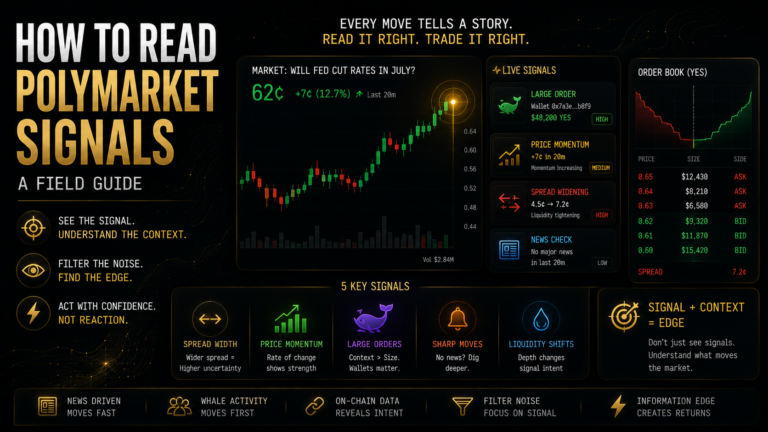
The Polymarket price has already moved 8 cents. The window was 18 minutes. You missed it by 18 minutes because you didn’t have the right notification system running.
CS2 prediction market notifications solve one specific operational problem in the cs2 prediction market notifications workflow: information delivery latency. Not the research problem. Not the model problem. The problem of the right signal not reaching you in time to act on it.
Table of Contents
CS2 Prediction Market Notifications Worth Building
Not all CS2 monitoring setups produce equal value. Some fire constantly and breed alert fatigue. Some capture one type of signal while missing another. Building the right notification infrastructure means choosing specifically for the signals that have documented edge windows.
Tier 1, Stand-in and lineup announcements (build this first) Average edge window: 12-25 minutes. Average price impact: 6-14 cents. Setup requirement: X/Twitter watchlist of top 30 active CS2 team accounts at T1 level, with notifications enabled on all of them. Cost: zero. Time to build: 10 minutes.
Keywords to watch in team posts: “stand-in,” “substitute,” “replacing,” “line-up change,” “fill-in.” Most official announcements use at least one of these terms. Your job when a notification fires: open the tweet, confirm it’s an official lineup change, cross-reference your stand-in scenario library, check DG3 Edge Finder for the current price gap, enter within 90 seconds.
Tier 2, New CS2 market openings (build second) Average edge window: 2-5 days. Setup: monitor the Polymarket events endpoint or use a Polymarket aggregator tool that notifies on new CS2 market creation. New markets for major events typically open 2-5 days before the event. Entry before liquidity develops often provides better prices than entry after the market is well-established.
Tier 3, Price velocity monitoring (optional, moderate value) Trigger: any CS2 match winner market moves 4+ cents within 10 minutes. This catches repricing events that you didn’t see in Tier 1 monitoring, perhaps an announcement on a non-English language platform, or a schedule change posted through an unofficial channel. Setup requires Polymarket API polling every 60 seconds, which needs basic Python knowledge.
Tier 4, EV gap threshold monitoring (DG3 covers this) DG3’s Edge Finder provides continuous EV gap ranking across all active CS2 Polymarket markets without requiring separate alert infrastructure. If you’re actively monitoring the Edge Finder during match windows, this alert type is already covered. It’s only worth building separately if you want passive notifications when you’re not actively watching.
What the Window Looks Like From the Inside
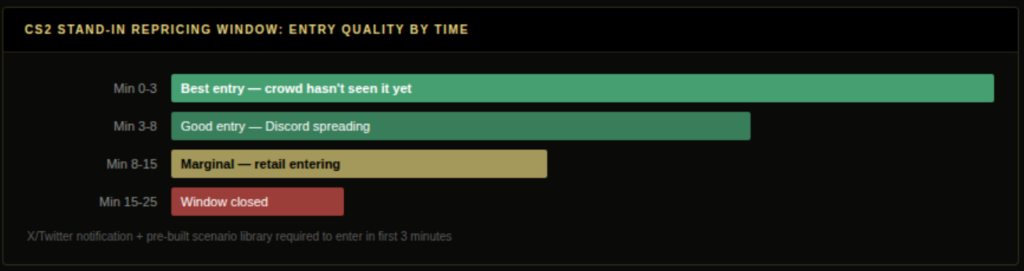
The stand-in edge window is short but not instantaneous. Here’s what the 12-25 minutes actually looks like:
Minutes 0-3: The official team account posts the lineup announcement. The fastest participants with X notifications on see it. Some begin building their position. The Polymarket price barely moves, volume is too thin for immediate price impact.
Minutes 3-8: HLTV and Liquipedia pick up the story. Coverage spreads to CS2 Discord communities and Telegram groups. More participants see the announcement. Buying activity increases on the affected market. The price begins moving.
Minutes 8-15: Prediction market aggregators and news sites cover the story. Retail participant flow increases notably. The price is now moving 0.3-0.5 cents per minute. The majority of the repricing occurs during this window.
Minutes 15-25: The market approaches the new equilibrium. The Polymarket price is within 1-2 cents of where it will close before match start. The edge window is effectively closed for most position sizes.
The implication: you need to be in within 8 minutes of the announcement to capture the majority of the edge. Between 8 and 15 minutes, you’re entering at a progressively worse price but still within a positive edge range. After 15 minutes, edge is marginal to zero.
This is why the X notification setup isn’t optional. It’s the difference between being in the first 3 minutes and being in the last 10.
Building the Scenario Library That Turns Detection Into Action
An alert that fires is only as useful as your ability to act on it in 90 seconds.
Without a pre-built stand-in scenario library, the sequence when an alert fires is: read the tweet (10 seconds), identify who’s the stand-in (30 seconds), look up their HLTV stats (3 minutes), calculate the team strength impact (5 minutes), check the Polymarket price (30 seconds), decide on position size (2 minutes). Total: 11 minutes. You’ve used 44-92% of the available window on research that could have been done before the tournament started.
With a pre-built scenario library: read the tweet (10 seconds), find the team in your library (15 seconds), check the rating gap (15 seconds), open DG3 Edge Finder (15 seconds), enter if the thesis holds (30 seconds). Total: 90 seconds. You’ve used 6-12% of the available window.
The library covers 20 teams, 5 roles each, with primary player stats and most likely stand-in stats pre-calculated and filtered. It takes 3-4 hours to build before a major tournament and 30 minutes to update between events as rosters change.
For each team and role, record:
- Primary player name, filtered HLTV rating (90 days, T1, current roster), opening kill rate, KAST
- Most likely stand-in name, same filtered stats in that specific role
- Estimated team win probability impact of the replacement (in percentage points)
- Which map pool maps are most affected by the role change
When the alert fires, you’re making a lookup decision, not a research decision. The research was done in advance.
The Full CS2 Prediction Market Notifications System: All Three Layers
Here’s the complete three-layer CS2 prediction market notifications system:
Layer 1, X/Twitter team watchlist (10 minutes to set up): Create a private X/Twitter list with the top 30 active CS2 T1 team accounts. Enable push notifications for all accounts on the list. This is your fastest information channel for lineup news, typically 30-90 minutes ahead of HLTV, aggregators, and news sites.
Layer 2, Polymarket API velocity polling (30 minutes to set up if you have Python): A simple script built with Python’s requests library that calls the Polymarket REST API every 60 seconds, compares each CS2 market’s current price to the previous check, and sends a notification when any market moves more than 3 cents in a single interval. This catches repricing events from information sources you didn’t catch in Layer 1.
Layer 3, DG3 Edge Finder during match windows: Active monitoring of the Edge Finder during the 4-hour windows around T1 CS2 events. Markets that reprice due to lineup news rise in the EV gap ranking as Polymarket lags the Pinnacle Signal benchmark. You don’t need to know the news, the EV gap ranking shows you where the market is mispriced, regardless of the cause.
The three layers have different failure modes that don’t overlap. Layer 1 misses announcements in non-English sources or unofficial channels. Layer 2 catches any price velocity regardless of cause but doesn’t tell you why it’s moving. Layer 3 shows the EV gap but requires you to be actively watching. Together, they have near-complete coverage of the CS2 prediction market notifications landscape.
Also read: Trading Signals That Actually Move Event Markets
What CS2 Prediction Market Notifications to Avoid
Alert fatigue kills monitoring systems. Build in filters from the start.
Don’t set price velocity alerts at 1-cent thresholds. You’ll receive 40-60 notifications per active match day, most of them reflecting normal in-play liquidity fluctuations rather than genuine information events. Set the threshold at 3-4 cents.
Don’t monitor during non-match windows. CS2 T1 matches concentrate in 2-3 daily windows (typically UTC 13:00-17:00 and 17:00-21:00 for EU events). Running your monitoring setup continuously outside these windows creates noise without proportional upside.
Don’t treat Tier 2 alerts (new market openings) as urgency signals. New markets opening 3 days before a major require research before positioning, not 90-second execution. The edge in early outright markets is in price quality, not speed.
Don’t automate execution based on alerts. The alert fires. You verify it. You check your scenario library. You make a position decision. Automating the execution layer without 100+ out-of-sample validated positions behind your model is deploying an untested system on real capital.
The cs2 prediction market notifications infrastructure exists to give you better access to the windows where edge exists. Your notification setup is only as valuable as the scenario library and model it feeds into, the alert catches the signal, the preparation converts it into a position. Your judgment executes inside those windows. Keep those two things separate.
The traders who collapse detection and decision-making into one automated system without a validated model are the ones who have the most memorable horror stories about a Monday morning with eight incorrect positions sitting open from the prior weekend. Build the cs2 prediction market notifications infrastructure. Preserve the judgment layer.
Building the Scenario Library: The Pre-Event Research That Makes Alerts Usable
The scenario library is the preparation that converts a fast alert system from detection infrastructure into an execution advantage. Without it, the cs2 prediction market notifications system tells you something happened. With it, it tells you what to do about it.
Build the library before each major event. The structure for each of the top 20 active T1 teams:
Row structure:
- Team name
- Player 1 (AWP role): Current HLTV rating (filtered), KAST, opening kill rate, map pool strengths
- Player 1 most likely stand-in: Same filtered stats in AWP role, expected performance gap (percentage points)
- Player 2 (Entry/IGL): Same structure
- [Repeat for all five roles]
- Overall: estimated team win probability impact of losing each key player (high/medium/low)
This sounds like a lot. For the 20 teams you’re actually watching, the data is already in your HLTV research tabs. Structuring it into a single document before the tournament is 3-4 hours once. The payoff is that every subsequent alert during that major is a 90-second decision rather than a 12-minute scramble.
Update the library between events when rosters change. When a player leaves or joins, update their row immediately. When stand-in scenarios materialise during an event and resolve (stand-in plays, you see the actual impact on match outcome), add a note to that row. Over multiple majors, the library becomes a calibrated reference document that gets more useful with each event cycle, not a static pre-event checklist.
Connecting CS2 Prediction Market Notifications Research to Execution
The monitoring system catches the signal. Your research determines whether to act on it. Connecting the two efficiently is what determines whether a fast notification system actually produces edge.
The scenario library is the bridge. When a notification fires for a stand-in announcement, the first thing you check is your scenario library for that team and role. The library gives you the expected performance impact of the change. You then cross-reference that impact against the current Polymarket price via DG3’s Edge Finder. If the gap between fair value implied by your scenario library and the current devigged market price exceeds your minimum threshold, you have a position.
The second bridge is pre-calculated entry levels. Before each major, identify the CS2 prediction market notification scenarios that would trigger entry and calculate the price at which each trade makes sense. A stand-in on Team A’s AWP role implies a fair value shift of approximately -8 percentage points. If Team A is currently priced at 0.67, a -8 point shift suggests fair value around 0.59 after the announcement. You want to buy Team B YES below 0.44. Your limit order level is 0.43. You’ve done this calculation before the notification fires. When it fires, you enter the limit order in 90 seconds and let it fill at your pre-calculated level.
Frequently Asked Questions
Q: What is the best cs2 prediction market notifications setup for catching line moves? A: Three layers: X/Twitter watchlist of top 30 CS2 team accounts with push notifications enabled for lineup announcements, a Polymarket API velocity polling script in Python that fires when any CS2 market moves more than 3-4 cents in 60 seconds, and DG3 Edge Finder active monitoring during match windows for continuous EV gap ranking. The three layers have non-overlapping failure modes: X watchlist catches official lineup news first, API polling catches any price movement regardless of source, and the Edge Finder shows the EV gap in the same interface as the execution tools. Together they provide near-complete coverage of the cs2 prediction market notifications landscape without requiring a single unified system. X/Twitter watchlist of top 30 CS2 team accounts with push notifications for lineup announcements. Polymarket API velocity polling script (Python) for price movement triggers above 3-4 cents in 60 seconds. and DG3 Edge Finder active monitoring during match windows for continuous EV gap ranking.
Q: Which event types generate the highest-value cs2 prediction market notifications for traders? A: Stand-in and lineup change announcements (highest value, 12-25 minute edge window), new CS2 Polymarket market openings 2-5 days before major events (good for outright entry quality at thin initial pricing), price velocity above 3 cents in 10 minutes (catches announcements from non-English or unofficial channels that your X watchlist might miss), and tournament format or schedule changes (typically 20-40 minutes to reprice, lower magnitude but still real edge). (highest value, 12-25 minute edge window), new CS2 market openings on Polymarket 2-5 days before major events (good for outright entry quality), and price velocity above 3 cents in 10 minutes (catches announcements from non-English or unofficial channels).
Q: How do cs2 prediction market notifications help monitor roster changes in real time? A: Official team X/Twitter accounts with notifications enabled are the fastest public source, typically 30-90 minutes ahead of HLTV and aggregators for breaking lineup news. Build a watchlist of the 30 most active CS2 T1 teams and enable push notifications on all accounts.
Q: How does a scenario library work with cs2 prediction market notifications? A: A pre-built table covering each active T1 CS2 team’s five roles with the primary player’s filtered HLTV stats and the most likely stand-in’s equivalent stats. When a lineup alert fires, the library converts a 10-minute research task into a 90-second lookup, capturing notably more of the 12-25 minute edge window.
Q: How does DG3’s Edge Finder replace manual cs2 prediction market notifications monitoring? A: The Edge Finder ranks all active CS2 Polymarket markets by EV gap against the Pinnacle Signal benchmark in real time. When a lineup change causes Polymarket to lag Pinnacle’s repricing, the affected market rises in the ranking. The News tab surfaces match-relevant announcements via Optic Odds scoped to open CS2 markets.
Also read: CS2 Prediction Markets: The Complete Guide for Traders in 2026
Information Asymmetry: Who Knows What, and When, in Event Markets
Is Polymarket the Best Platform for CS2 Esports Betting in 2026